
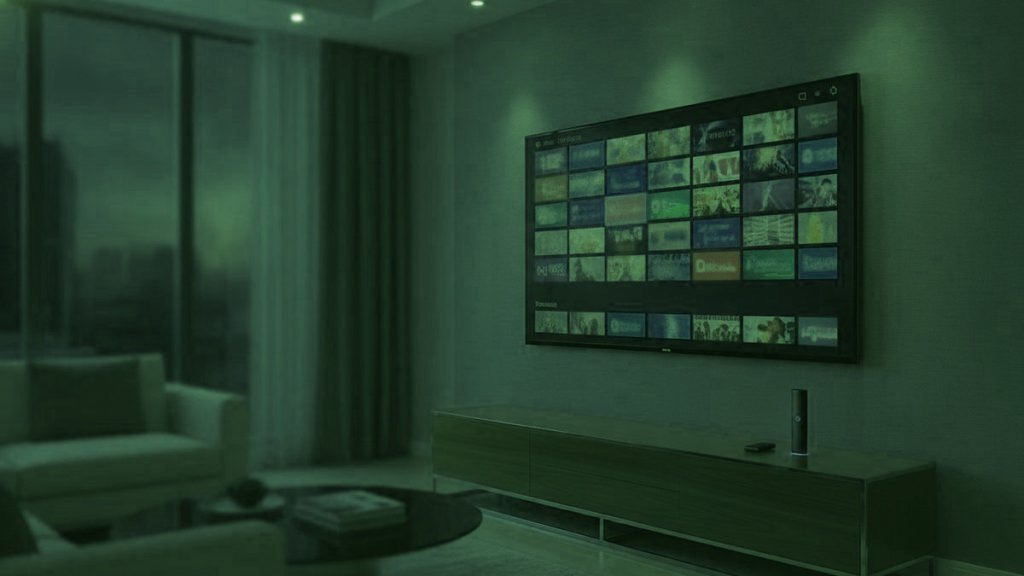
Most explanations of IPTV describe a delivery mechanism. That is accurate and almost useless, because nobody buys a delivery mechanism. What people buy is a solution to an argument that happens in their living room at about nine o’clock, and the technology is only interesting insofar as it changes that argument. So this explanation starts there.
The short version
IPTV sends television over your existing broadband instead of a dish or cable. Practically, that means the number of things your household can watch at once stops being limited by how many tuners or boxes you own, and starts being limited by bandwidth and by whatever your subscription allows. That shift is the whole point.
The problem, before the technology
A household is not one viewer. There is somebody who watches fixtures rather than programmes, and who will not accept a recording. There is somebody three episodes into a series who wants an hour undisturbed. There may be a child whose viewing happens earlier and looks nothing like either. And in a great many houses there is somebody who would like the news from a country they came from, in the language they think in, which no mainstream service in their new country sells at all.
Traditional television handled this badly by giving you one feed and one box. Streaming platforms handled half of it well — they gave everyone a profile — and then reintroduced the original constraint by capping how many profiles may play simultaneously. You can have four watchlists; you may not have four streams. The limit that was always the real one simply moved.
What IPTV actually does differently
An IPTV subscription arrives as credentials rather than hardware. You install a player on whatever screens you own, enter the same three values into each, and every one of them receives the same line-up. There is no box to rent per room, no second installation visit, no cable to run upstairs. A phone in a bedroom is as much a television as the set in the lounge.
What remains limited is simultaneity, and this is where being precise matters. Your plan sets how many streams may play at the same moment. Installations are not counted. So the honest description of what you are buying is not “channels” — everybody sells the same channels — but a number: how many people in your house may watch different things at once.
How it reaches the screen
The mechanics are unremarkable. A provider receives channel feeds and re-sends them over the internet to subscribers. Your player opens a connection, requests a channel, and receives a stream in segments of a few seconds each, buffering slightly ahead so that a brief network hiccup does not become a visible one. Programme information travels alongside, which is what populates the guide.
Two consequences follow from that design and both matter in a household. First, each stream is independent, so three people watching three things consume three times the bandwidth of one — obvious when stated, routinely forgotten when buying. Second, live streams cannot buffer far ahead the way a catalogue app can. A film app can quietly load two minutes of video and hide a wobbly connection completely. A live channel has nothing to load ahead of, because the thing being shown is happening now.
What you need, per screen
Roughly 10 Mbps for an HD stream and 25 for a 4K one. Those figures are per stream, which is the multiplication households skip. A family wanting the match in 4K downstairs, cartoons on a tablet and a box set on a laptop is asking its connection for something near 45 Mbps sustained, not 25. A line that delivers 40 will carry that arrangement only if two of those screens drop to HD — which they can, per channel, in two taps.
The devices are almost certainly already in the house. Anything running your current streaming apps runs this: a smart television from 2016 onward, a Fire TV Stick, an Android box, an Apple TV, a phone, a laptop. A Firestick at thirty to fifty dollars is the cheapest way to bring an older television into it, and in practice that is how most households add their second and third screens.
What it does not replace, said plainly
It does not carry the original productions the streaming platforms commission for themselves. Those exist to keep people subscribed to those platforms and they will never appear here. If one specific programme is the reason somebody in your house pays for a particular service, that subscription stays, and nothing on this site should suggest otherwise.
It also does not replicate a platform’s interface, its offline downloads for journeys, or its children’s profiles with their locks and limits. Those are real features, they are done better there, and in a house with young children the last one occasionally decides the whole question. What IPTV adds is the live half — channels, sport, news, national broadcasters — which the platforms largely do not sell, plus a catalogue that overlaps theirs substantially without matching it.
Where the legal question sits
The technology is entirely legal and entirely mainstream: it is how Hulu, YouTube TV, Sling and every large telecoms company deliver television. The question that carries weight is a commercial one about a specific provider — whether it holds distribution rights for what it carries. Services in this market generally resell upstream capacity and the chain is not always visible even to the reseller. That is a genuine distinction from a platform licensing its own catalogue, and our article on legality treats it at length rather than offering you a comfortable sentence here.
How to find out whether it suits your house
Not by reading. Take a trial, ask for it to be set to the number of screens you are actually considering, and use it on the evening your household is busiest. Then create the collision deliberately: the match on the television, something else on a tablet, a third thing on a laptop, all at once. Whether those three hold together is the only question that matters, and it is one that a features page — including every page on this site — cannot answer for your particular connection.
Where the picture quality actually comes from
Two numbers decide how a channel looks and only one of them gets advertised. Resolution is the familiar one — 1080p, or 3840 by 2160 for 4K. Bitrate is the other, and it describes how much data is spent describing each second of picture. A generously carried 4K feed and a heavily compressed one quote the identical resolution on their label and look nothing alike in a fast-moving football match, where compression shows first.
This matters to a household for a practical reason rather than an aesthetic one. Because the busy channels exist in 4K, HD and SD copies side by side in the list, quality is something you choose per screen and per evening rather than something the plan fixes. The main television takes the generous feed; the tablet somebody is half-watching takes the small one; everybody gets through the evening. That flexibility is worth more in a full house than the resolution itself.
What a programme guide is, and why it varies
Alongside the streams travels programme data — what is on each channel now and next, for the coming days. Good players render it as a grid you can move around while something keeps playing. That sounds like decoration until somebody is looking for a fixture among thousands of channel names, at which point it becomes the difference between a usable television and a list.
Guide quality varies by channel rather than by provider. Major networks carry full listings; minor international feeds sometimes carry none at all, which is normal rather than a fault. If the guide is empty everywhere, that is usually a refresh setting rather than missing data — most players want telling how often to update it, and most people never look.
The things that go wrong, and where they live
Three categories, and telling them apart saves entire evenings. Problems in your house: weak wifi, a device too old for the stream, or simply more screens running than the line can carry. Problems at the provider: capacity at peak, a dead channel, an expired account. Problems in the player: a decoder set wrongly, a guide that has not refreshed, an old build of the app.
The test that separates them takes two minutes. Play the failing channel on a laptop beside the router at the same moment. Clean there means the problem is inside your house. Broken there too means it is upstream. Households change provider repeatedly chasing faults that were in their own hallway, and this check is the reason not to.
Frequently asked questions
Is IPTV the same as streaming?
Technically the same delivery, commercially quite different. A streaming platform licenses and commissions a catalogue and sells access to it. An IPTV service carries live television channels, usually sourced upstream, and adds a catalogue alongside. The practical difference in a household is that one is built around programmes and the other around channels playing now.
How many people can watch at once?
Whatever your plan allows, and that is the only thing the plan controls. Installations are unlimited — put it on every screen you own — while simultaneous playback is capped. Most four-person households discover two simultaneous streams is enough, because viewing staggers itself naturally across an evening.
Will it work on the television we already have?
Almost certainly, if it is from 2016 or later and runs apps. Older sets need something in a spare HDMI socket, and a Fire TV Stick at thirty to fifty dollars is the usual answer. Nothing here requires replacing a television that currently works.
Does it need a special internet connection?
No, just a reasonably steady one. Around 10 Mbps per HD stream and 25 per 4K stream, added up across the screens you intend to run at once. Consistency matters more than the headline figure — a solid 50 carries more screens than an erratic 200, because streams break on gaps rather than averages.
Do all the screens show the same channels?
Identical, because the line-up belongs to the account rather than to any device. What can differ per screen is what you hide and what you mark as a favourite, which is stored locally — so the children's tablet and the main television can present very different lists from the same subscription.
Does the guide come with it?
Yes, travelling alongside the streams, and most players build it automatically from the login. You may need to tell the player how often to refresh it, which is the commonest reason somebody concludes the guide is broken when it is simply a day out of date.
Ready to watch 25,000+ channels?
Order on WhatsApp and get your login in under 15 minutes. 7-day money-back guarantee.
Related articles
Which IPTV Box Belongs in Which Room
The best IPTV box for most rooms is the one already plugged in. Where new hardware genuinely helps, which room it belongs…
September 4, 2026Which IPTV Player for Which Person in the House
There is no best IPTV app, only the right one for a particular screen and a particular person. Matched by role: the…
September 2, 2026What IPTV Costs Once You Count the Screens, Not the Channels
The monthly figure is the easy part. What actually decides a household's bill is the number of simultaneous screens — and most…