
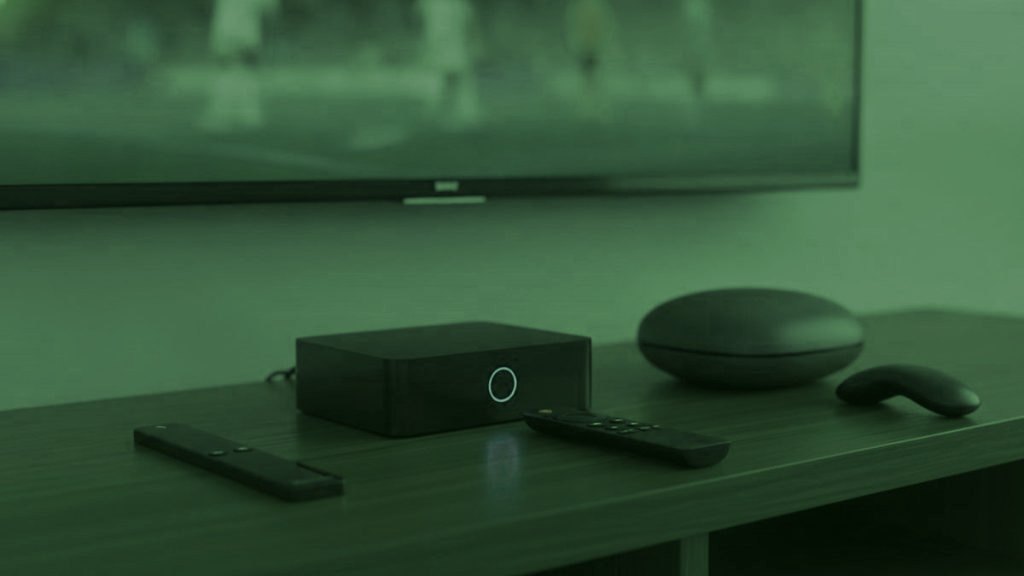
The best hardware for most of the screens in your house is the hardware already plugged into them. That is not a cost-saving platitude; it is what the trial usually demonstrates. A household equipping five rooms with new boxes has spent several hundred dollars solving a problem it mostly did not have. Where new hardware genuinely earns its price is narrower than the review sites suggest, and it is worth knowing which rooms qualify before spending anything.
The short version
Main television watched daily: a Formuler Z11 or an Nvidia Shield, if the current device struggles. Secondary rooms: a Fire TV Stick at thirty to fifty dollars, or nothing at all. Anything from 2016 onward that runs apps needs no replacing.
Start by establishing what actually struggles
Run the trial on existing hardware first, across the rooms you intend to use. A smart television from 2016 or later, an Android box, an Apple TV, a games console — any of these is likely to be fine. The screens that reveal themselves as problems are usually specific and obvious: a television too old for its store to carry a player, a budget Android box that stutters above 1080p, or a Roku, which has its own difficulties regardless of what you plug into it.
Only then spend money, and only on those rooms. Buying hardware before the trial is answering a question with a hundred and fifty dollars that a thirty-dollar device would have answered for free.
The main television, if it needs help: Formuler Z11 Pro Max
The Formuler Z11 Pro Max sits at $120 to $180 and is built for exactly this. Purpose-designed remote, fast guide, an ethernet socket, and MyTVOnline alongside the ability to run Android players including TiViMate. In a busy household that ethernet socket matters more than any other specification on this page: the main television is the screen that must never stutter while three people are watching, and a cable removes the single largest cause of complaints.
It earns its price on a television used daily and is poor value anywhere else. A MAG 540 is the alternative if you want the simplest possible appliance with no app store at all, at a similar price. Both bind to a MAC address, which means replacing the box requires sending us a new one — a two-minute job, but a reason not to buy several.
The fast option: Nvidia Shield TV Pro
The Shield is the strongest performer available and handles 4K HDR without complaint, with an ethernet socket and enough processing headroom to run TiViMate’s multi-view without the stuttering a cheaper device produces. It also costs more than a year of subscription, which is the right way to think about it: this is a purchase for a household that will keep the device for five years and wants the main television to feel fast throughout.
If nobody in the house watches sport and multi-view is irrelevant, the Shield is more machine than the job requires.
Every other room: Fire TV Stick 4K Max
At thirty to fifty dollars this is the best value on the page by a wide margin, and it is how most households add their second and third screens. It converts a television nobody used into one that counts, installs the players through Downloader in about four minutes, and performs perfectly well for a bedroom or a spare room.
A useful detail: the cheaper Fire TV Stick Lite outputs 1080p only. That reads as a limitation and is actually what you wanted on a secondary screen, because it removes any temptation to run 4K where nobody can see the difference — which is bandwidth the main television needs. If you already own an older stick, it will very likely do.
What to avoid
Unbranded Android boxes advertised with specifications that are simply untrue. If you buy one, insist on 2 GB of memory and an ethernet socket, and treat the listing as advertising rather than fact. Below 2 GB, no setting rescues the experience and the stream will get blamed for hardware that was never adequate.
Also avoid buying a Roku for this. It is a perfectly good product for the mainstream apps your household already uses, but it permits no sideloading and its store carries IPTV players only intermittently. For the same money a Firestick or an Android device opens the entire field. If you already own a Roku, add a stick on another input and let the Roku carry on doing what it is good at.
A realistic household budget
Most families reading this need to spend nothing, or thirty to fifty dollars once. A house with an old main television and two usable secondary screens might spend $150 on a Formuler for the room that matters and nothing elsewhere. A house replacing every screen with dedicated hardware has misunderstood what the subscription is for — the entire point is that it runs on what you already own, and the money is better kept for a higher tier if the household genuinely needs more simultaneous screens.
Whatever you buy, buy it after the trial rather than before. The order matters more than the choice.
Wired against wireless, which decides more than the box
If a household changes one thing about its hardware, it should be putting the main television on a cable. Ethernet removes the single largest cause of complaints about live streams, and it matters more the more screens are running, because wifi congestion compounds where a wired link does not. That is the practical argument for a Formuler, a MAG or a Shield over a stick on a main television: all of them have a socket and the sticks do not.
Where running a cable is impractical, a Fire TV Stick ethernet adapter costs about fifteen dollars and does the same job. Powerline adapters are the next option and are inconsistent — worth trying, not worth relying on. Of everything discussed on this page, this is the cheapest intervention with the largest effect.
Matching hardware to the number of streams
One point specific to a busy household. Hardware limits apply per device, not across the house: a stick decoding one 4K stream is working as hard as it can, regardless of what else is happening elsewhere. Where this becomes visible is multi-view, which decodes two streams on one device and is genuinely more than a Firestick manages comfortably at 4K. If somebody wants two matches side by side, that particular screen needs a Shield or a Formuler; the rest of the house does not.
The corollary is reassuring. Adding screens does not require better hardware on the existing ones. A household moving from two simultaneous streams to three needs more bandwidth and a higher tier, not new boxes, provided each device was coping with its own single stream already.
How long this hardware lasts
Longer than people expect, which is an argument against replacing things. A Fire TV Stick from three or four years ago still runs current players perfectly well for an HD screen. Televisions from 2016 still install from their own stores. The devices that genuinely age out are budget Android boxes, which were underpowered when sold, and sets whose manufacturer stopped updating the app store — after which nothing you install can help.
When something does need replacing, replace only that one thing. The instinct to standardise a household on a single kind of device is expensive and buys nothing at all in practice: a mixed house of a Formuler on the main television, two elderly Firesticks upstairs and a Samsung running its own app from its own store works exactly as well as five identical boxes would, on one set of credentials, for a small fraction of the outlay. Spend the difference on a higher tier if the household genuinely needs more simultaneous screens, or do not spend it.
Frequently asked questions
What is the best box for most people?
A Fire TV Stick 4K Max at thirty to fifty dollars, and for most rooms nothing at all — anything from 2016 that runs apps is fine. Dedicated hardware earns its price only on a main television watched daily.
Is a Formuler or MAG worth $150?
On the television your household watches most, yes: better remote, faster guide, an ethernet socket and nothing to sideload. On a spare-room screen used twice a week, no. One good box and cheap sticks elsewhere is the arrangement most people end up with.
Do I need 4K hardware on every screen?
No, and you actively should not want it. A 4K stream costs three to four times the bandwidth of HD, so running it on screens too small to show the difference takes headroom away from the main television. HD on secondary screens is the better configuration.
Can I use a games console?
Indirectly at best. There is no proper IPTV player on the current consoles, so the practical options are a browser where one exists, or an inexpensive stick on another input. Given a Firestick is thirty dollars, that is usually the shorter path.
Does better hardware improve picture quality?
Only where the current device was the limitation — an older stick capped at 1080p, for instance, will never show a 4K feed. Where a device already handles its stream, a faster one changes responsiveness and guide speed rather than the picture itself.
Should every room have the same device?
There is no benefit to it and a considerable cost attached. A mixed household of one good box on the main television, a couple of inexpensive sticks in bedrooms and a smart television running its own app from its own store works identically well, on one set of credentials, for a fraction of what uniformity would cost. Standardising hardware is an instinct worth resisting in this particular case.
Ready to watch 25,000+ channels?
Order on WhatsApp and get your login in under 15 minutes. 7-day money-back guarantee.
Related articles
Which IPTV Player for Which Person in the House
There is no best IPTV app, only the right one for a particular screen and a particular person. Matched by role: the…
September 2, 2026What IPTV Costs Once You Count the Screens, Not the Channels
The monthly figure is the easy part. What actually decides a household's bill is the number of simultaneous screens — and most…
August 31, 2026Is IPTV Legal? What a Household Should Actually Know
The technology is unambiguously legal. What varies is whether a given provider holds the rights to what it carries — and what…